How to Make a AI Video: Step-by-Step Guide (2025)
AI video creation has exploded in 2025, transforming the way individuals and businesses produce content. With rapid advancements in generative AI, making videos is faster, smarter, and more accessible than ever before.
This guide will show you exactly how to make a ai video, breaking down every step for both beginners and professionals. Whether you want to boost your marketing, educate an audience, or entertain, mastering AI tools can help you achieve stunning results with less effort.
We will walk you through planning, selecting the right AI platforms, preparing scripts and assets, generating your video, editing, and finally publishing for maximum impact. Ready to create pro-level videos? Let’s get started with actionable steps and expert insights.
Understanding AI Video Creation in 2025
AI is transforming how we make a ai video, blending cutting-edge algorithms with creative storytelling. In 2025, understanding what sets AI video apart and how it fits into the content landscape is essential for anyone aiming to master modern video production.
Defining AI Video: What It Is and Isn’t
To make a ai video, it’s important to distinguish between traditional video and AI-powered production. AI video leverages deep learning, generative AI, and automation to create content with minimal manual intervention. Unlike classic editing, AI can generate visuals, animate scenes, and even write scripts.
There are two main approaches: AI-augmented videos, where AI assists humans in editing or enhancing footage, and fully AI-generated videos, which are produced entirely by algorithms. For example, generative AI can synthesize realistic actors or environments in seconds. However, human direction still plays a vital role in shaping the final result when you make a ai video.
Key Trends Shaping AI Video in 2025
The rise of generative AI models like OpenAI Sora and Runway Gen-3 has made it easier than ever to make a ai video. These platforms allow creators to generate high-quality footage from text prompts or simple assets. The democratization of video creation is accelerating, with 80% of marketers planning to use AI video tools in 2025.
For an in-depth look at the latest developments, see AI video creation trends 2025. As more tools emerge, accessibility increases, making professional video production available to all skill levels. This trend is reshaping the way teams and individuals approach content creation.
Core Benefits of Using AI for Video Production
When you make a ai video, you gain speed, cost savings, and scalability. AI can automate tasks like animation, voiceovers, and special effects, allowing creators to focus on storytelling. This efficiency is especially valuable for brands seeking rapid content production.
AI also enhances creativity. Viral campaigns now feature AI-generated ads and music videos that push boundaries. By using AI, creators can experiment with visual styles, generate unique effects, and scale their output without sacrificing quality. These advantages are driving broad adoption across industries.
Types of AI Videos You Can Make
The ability to make a ai video spans a wide range of formats. Common types include explainers, advertisements, social videos, music videos, and training modules. Brands are leveraging AI to tailor content for platforms like TikTok, YouTube, and Instagram.
Case studies show companies using AI for everything from animated shorts to interactive product demos. According to market data, AI video production is projected to reach $30B by 2025. This massive growth reflects the versatility and impact of AI across content types when you make a ai video.
| AI Video Type | Popular Use Cases | Example Platforms |
|---|---|---|
| Explainers | Education, onboarding | Synthesia, Pictory |
| Ads | Social media, campaigns | Runway, Sora |
| Music Videos | Artists, influencers | 1 More Shot |
| Training | Corporate, e-learning | DeepBrain, Colossyan |
Challenges and Limitations to Consider
Despite the excitement, there are challenges when you make a ai video. Quality control remains a concern, as AI outputs can sometimes lack nuance or introduce errors. Copyright and ethical considerations are growing, especially with deepfakes and synthetic actors.
Reliability is another factor. AI tools may misinterpret scripts or visuals, requiring human oversight. Creative direction is still crucial, as AI cannot fully replace the vision and storytelling skills of experienced producers. Balancing automation with human input helps ensure each make a ai video project meets professional standards.
Step 1: Planning Your AI Video Project
Thorough planning is the foundation for success when you set out to make a ai video. Whether you are a marketer, educator, or content creator, a well-structured roadmap will help you produce videos that are both engaging and effective. By defining your objectives, crafting a compelling concept, gathering the right assets, and choosing the ideal format, you can streamline your workflow and maximize results.
Setting Clear Objectives and Audience
Before you make a ai video, clarify your goals and understand who you want to reach. Are you aiming to educate, entertain, or promote a product? Defining your video’s purpose will guide every creative decision.
Identify your target audience by developing personas. Are you speaking to Gen Z on TikTok, business professionals on LinkedIn, or a global classroom? For instance, brands often tailor AI videos for Gen Z by using vibrant visuals and fast-paced storytelling to capture attention quickly.
A clear objective and audience profile not only shape your video’s content but also influence style, tone, and distribution strategies. This focus ensures your AI video resonates and achieves measurable impact.
Crafting a Compelling Concept or Script
The heart of any successful attempt to make a ai video is a strong concept and script. Start by outlining your main message, story arc, and key takeaways. A compelling narrative keeps viewers engaged and drives your call to action.
You can use AI script generators like Jasper and Copy.ai to draft ideas quickly, or refine scripts manually for a more personal touch. AI tools can enhance productivity, but human review ensures authenticity and emotional resonance.
For additional guidance, check resources like How to create AI music videos, which offer practical steps and inspiration for blending AI-driven storytelling with your unique creative vision.
Gathering and Preparing Source Materials
Once your concept is clear, collect the visuals, audio, and references needed to make a ai video. This includes images, video clips, music, logos, and any brand assets. High-quality, relevant materials elevate the finished product and enhance viewer engagement.
Always verify copyright status to avoid legal issues. Organize your assets into folders by type and purpose, making them easy to access during the production process. For AI workflows, structured asset organization accelerates generation and editing.
Consider creating a checklist to track required materials. This proactive approach minimizes last-minute issues and supports a smoother, more efficient video creation process.
Choosing the Right AI Video Format and Style
Selecting the appropriate format is a crucial step when you make a ai video. Decide whether your project should be vertical or horizontal, animated or live-action, short-form or long-form. Each choice affects how your video will be consumed.
Think about the platforms you plan to use. TikTok and Instagram favor vertical, bite-sized videos, while YouTube supports longer, horizontal content. For music videos or explainers, animation can provide creative flexibility and visual appeal.
Analyze successful examples in your niche. Let your objectives and audience guide your format and style decisions to ensure your AI video stands out and aligns with current trends.
Step 2: Selecting the Best AI Video Tools & Platforms
Choosing the right tools is a foundational step when you want to make a ai video that stands out in 2025. With so many platforms available, understanding their strengths, features, and unique capabilities will make your workflow smoother and your results more professional.
Overview of Leading AI Video Generators
When you set out to make a ai video, top AI video generators like Runway, Synthesia, Pictory, and OpenAI Sora are at the forefront of innovation. These platforms offer various features: text-to-video, avatar creation, and automated editing.
| Platform | Key Features | Typical Use Case | Export Options |
|---|---|---|---|
| Runway | Text-to-video, green screen | Creative, commercials | HD, MP4, GIF |
| Synthesia | AI avatars, voice synthesis | Explainers, training | HD, MP4 |
| Pictory | Blog-to-video, auto summarise | Social, marketing | HD, MP4 |
| OpenAI Sora | Generative video, realism | Creative, entertainment | HD, MP4 |
Selecting the right platform depends on your needs, whether you want realism, avatars, or fast social content.
Criteria for Choosing the Right Tool
To make a ai video efficiently, consider these criteria:
- Ease of Use: Look for intuitive interfaces and robust tutorials.
- Output Quality: HD exports, frame rates, and AI realism matter.
- Customization: Templates, voice and style options, and asset integration.
- Integration: Seamless connection with editing tools and asset libraries.
- Support & Scalability: Responsive help and options for solo creators or large teams.
Prioritize platforms that offer flexibility so you can scale your video production as your needs grow. Test a few with trial versions to see which aligns with your creative process.
Specialized AI Tools for Music Video Creation
If your goal is to make a ai video for music, specialized tools offer features like automated lip-sync, beat detection, and visualizers. Platforms designed for music video creation provide advanced rhythm-matching, real-time preview, and customizable templates.
For a comprehensive comparison, check out the Best AI music video tools 2025 guide, which explores the latest platforms and their unique offerings. This helps you select the best option for your style and audience, ensuring your music videos are dynamic and engaging.
1 More Shot: AI-Powered Music Video Generator
1 More Shot stands out as a dedicated platform for creators and musicians aiming to make a ai video with professional polish. It features:
- AI-driven video generation for music
- Advanced lip-sync technology and versatile formats
- Real-time previews and a smart asset library
- Free tier with affordable monthly plans and instant HD export
Independent artists, influencers, and producers can rapidly produce high-quality music videos. For example, an emerging artist used 1 More Shot to create a viral video, boosting their engagement and audience reach with minimal technical effort.
Evaluating Free vs. Paid AI Video Solutions
When you make a ai video, you will encounter both free and paid AI solutions. Free tools often come with watermarks, limited export options, and basic templates. Paid platforms provide HD exports, deeper customization, and priority support.
Consider your goals and budget. For business or brand projects, investing in a paid solution often results in better quality and workflow efficiency. Compare outputs side by side to assess ROI and ensure your chosen tool aligns with your content strategy.
Step 3: Creating & Generating Your AI Video
Ready to make a ai video that stands out? This stage is where your planning becomes reality. By following these actionable steps, you can turn your script and assets into a polished, AI-powered video ready for audiences in 2025.
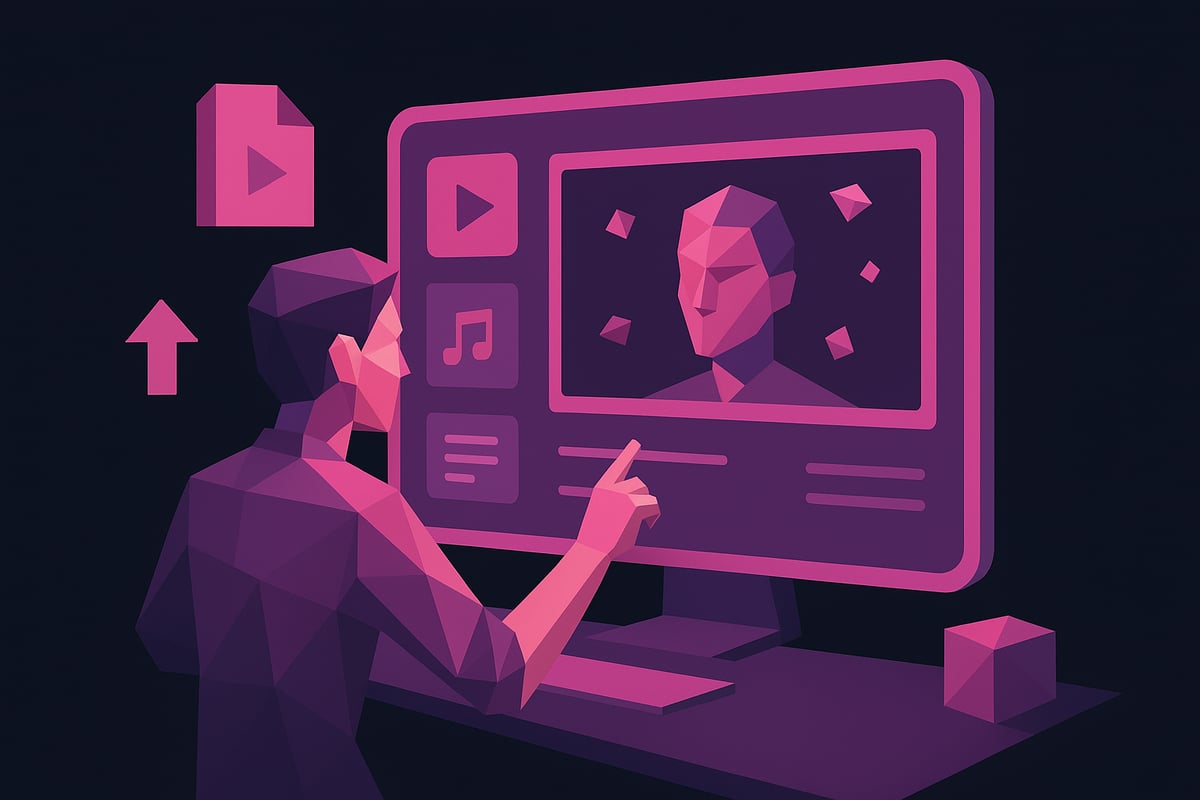
Uploading or Creating Your Script and Assets
To make a ai video, begin by uploading your script and source materials. Most AI platforms allow you to input scripts directly, upload images, and add music tracks. If you lack assets, many tools offer built-in libraries with royalty-free visuals and sounds.
For best results, format your script with clear scene breaks and concise dialogue. Organize your files into folders by type—video, audio, images—to streamline the workflow. Before you make a ai video, check that all assets meet quality standards and copyright requirements.
| Asset Type | Tips for Preparation | Format Examples |
|---|---|---|
| Script | Use short sentences, clear labels | .txt, .docx |
| Images | High resolution, relevant visuals | .jpg, .png |
| Audio | Clean, royalty-free music or SFX | .mp3, .wav |
Customizing Visuals, Styles, and Animations
Once your assets are uploaded, you can make a ai video more engaging by customizing visuals and animations. Most AI video generators provide templates, color palettes, and animation presets. Select a style that fits your brand or message, whether minimalist, cinematic, or animated.
Experiment with adjusting color schemes or swapping backgrounds. AI-powered suggestions may offer creative enhancements, so review real-time previews before finalizing choices. When you make a ai video, iterating on visual elements ensures your content feels unique and polished.
Implementing Voiceovers, Music, and Sound Effects
Adding audio is crucial to make a ai video feel dynamic. Many platforms include AI voiceover generators supporting various languages, tones, and accents. Upload your own narration or let AI generate voices that match your script and style.
For music, either upload original tracks or select from the platform’s royalty-free library. Some tools offer automatic beat detection to sync visuals with audio. To make a ai video truly immersive, layer in sound effects for transitions, actions, or mood changes, always checking audio levels for clarity.
Leveraging Advanced AI Features (Lip-Sync, Face Swap, Auto-Captioning)
Advanced features can elevate your ability to make a ai video that captivates. Lip-sync technology animates avatars or characters to match speech, making explainer or music videos more lifelike. Face swap tools let you personalize characters or use virtual presenters.
Auto-captioning is essential for accessibility and can boost SEO by providing searchable text. Many platforms auto-generate captions, which you can edit for accuracy. These capabilities help you make a ai video that is engaging, inclusive, and professional.
Reviewing and Refining AI-Generated Drafts
After initial generation, review your AI video draft carefully. To make a ai video that meets your standards, watch for mispronunciations, awkward transitions, or visual glitches. Most platforms support iterative editing, allowing you to tweak scripts, swap assets, or request AI to regenerate scenes.
Version control features help you track changes and compare edits. Gather feedback from collaborators, if possible. This review phase is vital to ensure your final product aligns with your vision when you make a ai video.
Exporting and Downloading Your Video
When satisfied, export your project using the platform’s download options. Decide on output format: HD for YouTube, vertical for TikTok, or square for Instagram. Many free tools add watermarks, while paid plans often allow watermark-free, high-definition exports.
Check compatibility with your chosen distribution platforms. For instance, to make a ai video for YouTube Shorts, select vertical format and MP4 output. Always preview the exported file to confirm quality before sharing it with your audience.
Step 4: Editing, Enhancing, and Personalizing Your AI Video
Once you make a ai video, post-production is where your project truly comes to life. The editing stage turns raw AI-generated drafts into polished, compelling content. Whether you are a solo creator or part of a team, refining your video ensures it resonates with your audience and aligns with your goals.
Manual Editing and Fine-Tuning
When you make a ai video, AI tools automate much of the process, but manual editing remains essential. Review each scene for narrative flow and coherence. Adjust timing, transitions, and overlays to create a seamless experience.
- Scrub through scenes to spot awkward cuts or pacing issues.
- Refine transitions for smoother visual storytelling.
- Overlay text, graphics, or supplementary visuals as needed.
Manual intervention allows you to ensure the message is clear and maintains brand consistency. Even the best AI output benefits from human creativity and attention to detail. With practice, your edits can elevate the quality of any project you make a ai video for.
Adding Branding Elements and CTAs
To make a ai video stand out, incorporate unique branding elements throughout your content. Add your logo, consistent color schemes, and on-brand fonts to reinforce identity. Place intros and outros at strategic points to boost recognition.
- Use branded lower thirds and watermark overlays.
- Include a clear call to action (CTA) at the end or within the video.
- Match visual style to your organization’s guidelines.
Effective branding transforms generic AI videos into memorable brand experiences. Well-placed CTAs drive viewer engagement and conversions. Remember, when you make a ai video, every detail influences how your audience perceives your brand.
Enhancing with AI-Powered Effects and Filters
Modern platforms let you make a ai video with sophisticated effects previously reserved for experts. AI-powered color grading, motion tracking, and special filters can quickly transform your footage, making it pop on social media.
- Experiment with AI-driven visual effects for viral appeal.
- Use filters to match current trends and platforms.
- Preview enhancements in real time before exporting.
For more inspiration on how to maximize impact, explore these Viral AI music video tips to see how creators use effects for engagement. These enhancements can make a ai video more shareable and professional.
Collaborating and Sharing for Feedback
After you make a ai video, collaborative editing tools can speed up feedback and improvements. Many AI platforms offer cloud-based workspaces, allowing teams and clients to review and suggest changes instantly.
- Share preview links for real-time comments.
- Assign roles for streamlined editing and approvals.
- Track version history to compare edits and restore previous drafts.
Collaboration ensures your final video meets all expectations. Inviting feedback helps catch overlooked issues and brings fresh perspectives, making the process of how you make a ai video more efficient and inclusive.
Ensuring Accessibility and Compliance
To make a ai video accessible to all, integrate AI-generated captions, translations, and audio descriptions. Compliance with standards like ADA and WCAG not only broadens your reach but also demonstrates social responsibility.
- Add subtitles in multiple languages for global audiences.
- Provide audio descriptions for visually impaired viewers.
- Ensure visual contrast and readable fonts.
Accessible videos are more likely to be watched, shared, and remembered. Prioritizing inclusivity when you make a ai video helps grow your audience while meeting legal and ethical standards.
Step 5: Publishing, Promoting, and Analyzing Your AI Video
Releasing your project is the final step when you make a ai video, but success depends on much more than simply hitting “publish.” Strategic optimization, targeted promotion, and smart analytics ensure your content stands out and performs. Let’s break down how to maximize your AI video’s impact in 2025.
Optimizing for Different Platforms and Audiences
Each platform has unique requirements, so optimizing your video for TikTok, YouTube, Instagram, and LinkedIn is crucial when you make a ai video. Adjust your aspect ratio, resolution, and duration to match audience expectations and platform specs.
- TikTok: Vertical videos, short (15–60 seconds), bold captions
- YouTube: Horizontal, HD, longer-form, custom thumbnails
- Instagram: Square or vertical, concise messaging, hashtags
- LinkedIn: Professional tone, subtitles, clear branding
Analyze your target audience’s habits on each platform. For example, short-form, AI-driven content thrives on TikTok, while YouTube rewards consistent, high-quality uploads. This tailored approach helps your video reach the right viewers.
SEO and Metadata Best Practices
Optimizing SEO and metadata is essential to help viewers discover your content when you make a ai video. Start by crafting compelling titles, clear descriptions, and relevant tags. Use AI-powered tools to identify trending keywords that match your topic.
Best practices include:
- Writing keyword-rich, natural-sounding titles
- Adding detailed video descriptions with timestamps
- Using platform-specific tags and hashtags
- Creating custom thumbnails to boost click-through rates
A well-optimized video is more likely to appear in search results and recommended feeds. Leverage AI solutions to streamline the process and improve your video’s ranking.
Launching and Distributing Your Video
A strategic launch plan ensures your AI video gains maximum visibility. When you make a ai video, publish simultaneously across multiple platforms to reach diverse audiences. Use scheduling tools to post at optimal times for engagement.
Consider these multi-platform strategies:
- Cross-promote on social media with teaser clips
- Embed the video on your website or in email campaigns
- Collaborate with influencers for broader reach
As the AI video generator market size grows, creators who distribute content widely enjoy more opportunities for audience growth and monetization.
Measuring Performance and Iterating
Measuring success is vital every time you make a ai video. Track key metrics such as views, watch time, engagement rate, and conversion actions. Most platforms offer built-in analytics, while AI-driven dashboards provide deeper insights and actionable recommendations.
Key metrics to monitor:
| Metric | What It Measures |
|---|---|
| Views | Total audience reached |
| Engagement | Likes, comments, shares |
| Retention | Watch time, drop-off |
| Conversions | Clicks, sign-ups, sales |
Use these insights to refine your approach. A/B test different video styles, thumbnails, or CTAs. The AI video industry’s rapid expansion, as detailed in AI video generation market growth, means continuous iteration is essential for staying ahead.
Now that you’ve seen just how approachable and powerful AI video creation can be in 2025, why not put these steps into action yourself? Whether you’re an artist, marketer, or just curious about the process, you have all the knowledge you need to start making high quality, engaging videos with cutting edge technology. With platforms like 1 More Shot, creating professional grade music videos is no longer out of reach—you can turn your ideas into reality with just a few clicks. Ready to take the next step and bring your vision to life?
Start Creating Now