Step-by-Step Guide to Making a Music Video With AI in 2026
Imagine turning your favorite track into a stunning visual story without needing a film crew or editing experience. Thanks to rapid advances in AI, creating a music video with ai is now accessible to everyone in 2026. This guide will walk you through each step, from understanding the latest AI video tools to preparing your music, customizing visuals, and sharing your finished masterpiece. Discover how AI transforms creative potential into real-world results, making professional video production faster and easier than ever. Let’s explore how you can bring your vision to life, starting now.
The Evolution of AI in Music Video Production
The journey from traditional music video production to the current age of AI-powered creation has completely reshaped the landscape for artists and creators. Today, anyone can produce a high-quality music video with ai, no matter their budget or technical background.
How AI Has Transformed Music Video Creation
In the past, making a professional music video required hiring a film crew, renting equipment, and spending days or weeks on editing. This process was expensive and out of reach for many independent musicians. Now, the rise of music video with ai has made high-quality production accessible to all.
AI-powered platforms analyze audio, lyrics, and mood to generate visuals that sync in real time. Generative AI and neural networks create unique scenes, while real-time editing lets artists preview and adjust videos instantly. Over 50,000 creators have adopted tools like LTX Studio and 1 More Shot, reflecting a major shift in the industry.
Case studies highlight indie artists who doubled their streaming numbers after releasing an AI-generated music video with ai. Production times have dropped from days to just minutes, and satisfaction rates with top tools reach 98 percent. According to AI vs Traditional Music Videos, this technology has democratized professional content creation, allowing musicians, producers, and marketers to compete with major labels.
The result is a creative revolution. Anyone can now tell their story visually, using a music video with ai, regardless of experience or resources.
Current AI Music Video Tools and Platforms
Several advanced platforms now lead the way in music video with ai. LTX Studio and 1 More Shot offer text-to-video and script-to-video features, letting you generate storyboards and characters with a few clicks. These platforms run on the web, iOS, and Android, making them accessible from anywhere.
Pricing models are flexible. Free plans allow you to experiment, while subscription tiers unlock advanced features and commercial usage rights. Supported audio formats include MP3 and OGG, with video exports available in MP4 and XML. This ensures compatibility with popular social channels.
Integration with leading AI music generators, such as Suno and Udio, allows creators to pair unique soundtracks with custom visuals. For example, LTX Studio provides real-time generative updates, letting you see changes instantly, while 1 More Shot delivers instant exports for multiple platforms.
Here is a quick comparison of top features:
| Feature | LTX Studio | 1 More Shot |
|---|---|---|
| Text-to-Video | Yes | Yes |
| Real-Time Editing | Yes | Yes |
| AI Storyboard/Characters | Yes | Yes |
| Multi-Format Export | Yes | Yes |
| Platform | Web, Mobile | Web, Mobile |
With these innovations, creating a music video with ai has never been easier. The tools are designed for all creators, from hobbyists to professionals.
Step 1: Preparing Your Music and Creative Vision
Before diving into the technical process, setting a strong foundation is crucial for any music video with ai. The right preparation ensures your final video not only looks professional but also resonates with your intended audience.
Selecting the Right Song and Understanding Its Mood
Choosing the right track is the cornerstone of creating a compelling music video with ai. Start by picking a song that aligns with your visual goals and overall message. AI tools excel at analyzing rhythm, tempo, and mood, so tracks with clear structure and emotional depth work best.
Prepare your audio in supported formats such as MP3 or OGG. If you are using music generated by platforms like Suno or Udio, make sure the file is high quality and free of background noise. This helps the AI accurately map beats and detect lyrics.
When selecting your song, consider the following tips:
- Prioritize clear vocals and strong beats for better lyric and visual sync.
- Opt for dynamic arrangements to give the AI more visual cues.
- Emotionally resonant tracks are more likely to go viral.
A recent survey found that 70 percent of viral AI music videos feature high-contrast, emotionally charged songs. For a practical, step-by-step reference on preparing your track and vision, see this How to Make Music Video with AI guide.
Crafting a Visual Concept and Storyboard
Once you have your song, develop a visual concept that reflects its essence. Decide whether you want a literal lyric visualization, an abstract narrative, or a blend of both. AI storyboard generators can help you map out scenes quickly, providing a framework before you start the actual video generation.
Incorporate reference images and style presets to maintain a consistent look throughout your music video with ai. This is especially helpful when collaborating with others or pitching concepts to labels. Artists frequently use AI-generated storyboards to communicate their vision more effectively.
Balance creativity with clarity. While pushing creative boundaries is encouraged, ensuring your narrative is understandable will keep viewers engaged and improve shareability. A strong pre-visualization stage leads to videos with higher coherence and audience retention.
Setting Goals and Success Metrics
Defining your objectives early can guide the entire process of making a music video with ai. Identify your target audience, whether it is fans, industry professionals, or social media communities. Set specific goals such as increasing engagement rates, shares, or driving streams on platforms like YouTube and TikTok.
Consider using a table to organize your success metrics:
| Metric | Description | Example Target |
|---|---|---|
| Engagement Rate | Likes, comments, and shares | 10 percent increase |
| Streaming Boost | Additional listens post-release | +5,000 streams |
| Social Shares | Number of shares across channels | 2x previous video |
After launching your video, use analytics tools to track performance. Indie labels often measure the streaming impact of AI-generated videos as part of broader campaigns. Analyzing these metrics allows you to refine your approach for future projects and maximize the return on your creative investment.
Step 2: Choosing the Best AI Music Video Generator
Selecting the optimal platform for creating a music video with ai is crucial for both creative control and professional results. With the rapid evolution of AI technology, today’s tools offer a range of advanced capabilities, from real-time editing to precise beat synchronization.
The market now features an array of platforms tailored to different needs, budgets, and production styles. Understanding the essential features and comparing your options empowers you to maximize the impact of your music video with ai.
Key Features to Look For in 2026
When choosing a platform to produce a music video with ai, several features set the best tools apart. Start by evaluating beat and lyric synchronization, which ensures visuals move in harmony with your song’s energy.
Customization is equally vital. Look for options to adjust style, animation, camera angles, and character casting. Real-time preview and editing controls allow you to see changes instantly, speeding up your workflow.
Export flexibility matters. Leading tools offer multi-format exports, supporting vertical, horizontal, and square videos, essential for sharing across TikTok, YouTube, and Instagram. AI-driven lip-sync and motion matching bring authenticity to character animations.
Reliability, speed, and output quality are non-negotiable for any music video with ai. Prioritize platforms offering Full HD exports without watermarks, ensuring your final product is ready for professional use.
Below is a quick comparison table of top capabilities:
| Feature | Importance | What to Look For |
|---|---|---|
| Beat/Lyric Sync | Ensures pacing | Automated, adjustable |
| Customization | Visual uniqueness | Style, camera, characters |
| Real-Time Editing | Speed, flexibility | Instant preview, quick edits |
| Export Formats | Platform compatibility | Vertical, horizontal, square |
| Lip-Sync/Motion Match | Character realism | Advanced AI-driven sync |
| Output Quality | Professionalism | Full HD, no watermarks |
For a deeper dive into platform comparisons, see the Best AI Music Video Generator Tools review.
1 More Shot: AI-Powered Music Video Generation
Among the leading options for producing a music video with ai, 1 More Shot stands out for its advanced technology and user-centric design. This platform enables lightning-fast video creation with perfect beat and lyric sync, supporting both web and mobile workflows.
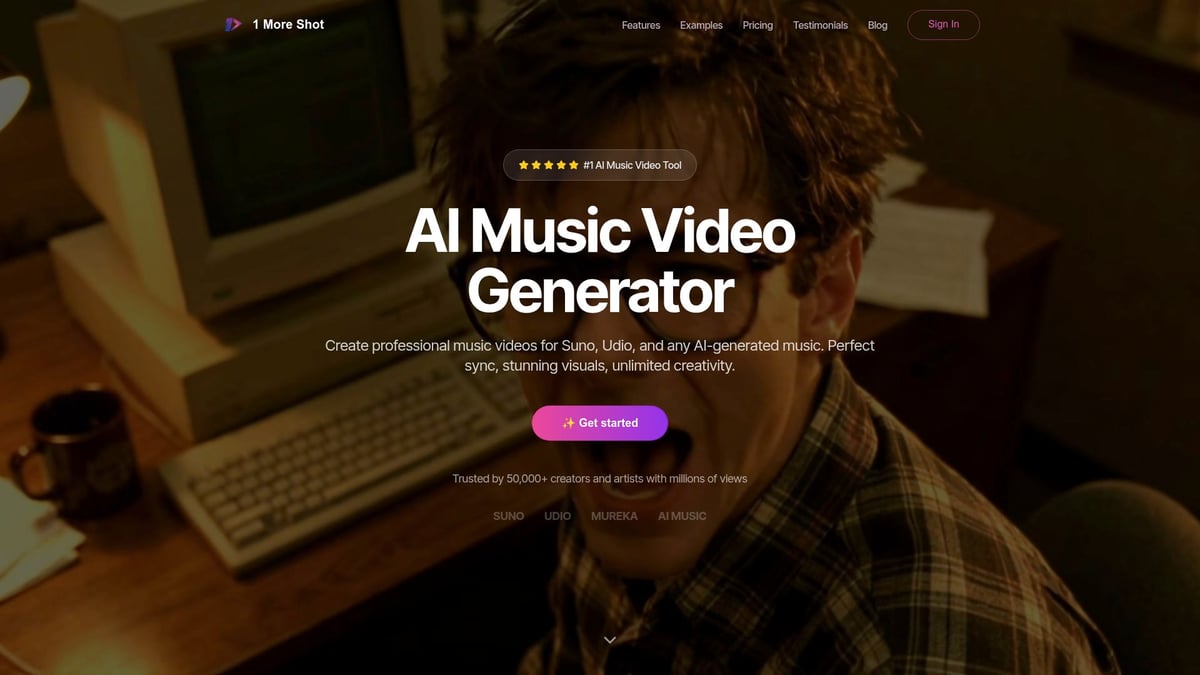
Key features include frame-by-frame editing, advanced lip-sync, and multi-format export. These tools make it simple to tailor your music video with ai for any platform, from TikTok to YouTube. You can integrate tracks generated by AI music platforms like Suno or Udio, expanding creative possibilities.
1 More Shot’s no-watermark, Full HD downloads ensure your videos are ready for professional use. Its interface is optimized for both beginners and seasoned creators, providing real-time generative updates and instant exports.
Trusted by over 50,000 creators, 1 More Shot has helped artists achieve millions of views. For example, one indie artist doubled their streaming numbers after launching a music video with ai using this platform.
Flexible pricing includes a free plan and affordable scaling for professionals, making high-quality video production accessible to everyone.
Step 3: Uploading and Syncing Your Music Track
Creating a standout music video with ai starts with a seamless upload and precise audio syncing. This step is where your music truly meets the visual world, laying the foundation for a video that resonates with your audience.
Uploading Your Audio and Initial Setup
To begin building your music video with ai, start by creating a new project within your chosen platform. Most top AI music video generators offer a straightforward dashboard where you can simply drag and drop your audio file. Supported formats usually include MP3 and OGG. Be mindful of file size limits—platforms typically support files up to 100 MB, which covers most songs.
Once your track uploads, the AI instantly analyzes the audio. It maps the beat, detects tempo, and parses lyrics if available. This automated process saves hours compared to traditional editing. For example, uploading a Suno-generated track results in immediate visual suggestions, with the AI proposing scene transitions and mood boards based on your song’s rhythm and dynamics.
If you encounter upload issues, check for correct file format, reduce file size, or ensure your internet connection is stable. Below is a quick reference:
| Format | Supported | Recommended Use |
|---|---|---|
| MP3 | Yes | Universal |
| OGG | Yes | High-quality audio |
| WAV | Sometimes | Large file size |
Remember, a clean, high-quality audio file ensures the AI can generate the most accurate visual sync for your music video with ai.
Syncing Visuals to the Beat and Lyrics
With your audio uploaded, the next step in crafting a music video with ai is syncing visuals to the beat and lyrics. AI tools excel here, automatically aligning visual elements with your song’s rhythm, tempo changes, and lyrical cues. Real-time previews let you see how the video flows—camera cuts, scene changes, and animated effects are timed to key musical moments.
You can further refine the sync by customizing points where visuals shift. For instance, adjust camera cuts to match the chorus or highlight instrumental solos. According to recent data, 90 percent of top-performing AI music videos leverage these dynamic beat-sync features for maximum impact.
AI-generated suggestions speed up the process, but you always retain creative control. Override automated choices if you want a specific visual emphasis or narrative twist. For more strategies on making your AI-generated video stand out, check out these Viral AI Music Video Tips.
Fine-tuning the sync ensures your music video with ai delivers both a compelling story and a professional finish.
Step 4: Customizing Visuals, Animations, and Styles
Transforming your music video with ai into a compelling visual experience is where creativity meets technology. The customization phase allows you to shape every detail, ensuring your video stands out and resonates with your audience. From choosing a visual style to finessing camera movements, these steps define the personality and emotional impact of your final product.
Selecting and Tweaking Visual Styles
The first step in customizing your music video with ai is selecting a visual style that aligns with your song’s genre and mood. AI platforms offer a range of presets, from animated and cartoon-like to hyperrealistic or hybrid visuals. Uploading reference images and using built-in style presets ensures a consistent aesthetic throughout your video.
For example, indie tracks often benefit from lo-fi animation, while EDM songs shine with hyperreal visuals and bold lighting. Adjust color grading, lighting, and mood settings to amplify the emotional tone of your track. Many creators use AI’s real-time preview to experiment quickly and see instant changes.
Here’s a quick genre-to-style matching table:
| Genre | Recommended Style |
|---|---|
| Indie | Lo-fi, hand-drawn, pastel |
| EDM | Hyperreal, neon, dynamic |
| Hip-Hop | Urban, bold colors, graffiti |
| Acoustic | Minimalist, soft lighting |
For a hands-on comparison of top AI video generators and their style features, check out this Comparison of AI Music Video Generators.
Remember, videos that closely match the genre in visual style see up to double the engagement on social platforms. Use the music video with ai keyword when searching for the best style presets for your project.
Casting Characters and Building Scenes
Next, bring your story to life by casting characters and designing scenes. Leading AI platforms let you generate unique avatars or upload custom designs. This step is crucial for lyric videos, narrative stories, or performance-based visuals.
- Add AI-generated or custom-uploaded characters.
- Select backgrounds, props, and environments to fit the theme.
- Use AI character generators for distinctive personas.
For instance, you might animate an avatar of the artist or create a fantastical setting to represent the song’s message. Balance scene complexity with clarity, so visuals enhance—rather than distract from—the music video with ai.
Fine-Tuning Shots and Camera Movements
Cinematic quality comes from thoughtful shot selection and dynamic camera work. AI tools allow you to edit shot lists and set camera angles with precision. Use real-time previews to test different movements and transitions.
A typical shot list in code format:
Intro: Wide shot, slow zoom
Verse 1: Close-up on main character
Chorus: Quick cuts, camera pans
Bridge: Overhead shot, fade transition
Outro: Pull-back, wide angle
Synchronize camera changes with musical shifts for maximum impact. For example, align a dramatic pan with an instrumental solo or use quick cuts during high-energy choruses. This level of control ensures your music video with ai feels professional and engaging.
Adding Special Effects and Overlays
Enhance your visuals with AI-generated effects, transitions, and overlays. These features add polish and reinforce your song’s narrative or branding. Common options include animated lyric overlays, particle effects, and creative transitions.
- Visualize key lyrics with animated text synced to vocals.
- Incorporate overlays for branding, social handles, or calls to action.
- Experiment with particle systems and dynamic transitions.
Data shows that music videos with ai-driven effects and overlays see higher retention rates on platforms like TikTok and Instagram. Use the music video with ai approach to ensure your special effects are both creative and purposeful.
Ensuring Cohesion and Story Flow
Finally, review your project for narrative and visual cohesion. Check scene transitions, pacing, and overall flow. AI feedback can highlight abrupt cuts or inconsistencies, but your personal vision should guide final adjustments.
- Reorder scenes for a stronger narrative arc.
- Adjust transitions to maintain audience interest.
- Use analytics from test audiences to refine pacing.
Videos with clear story flow have a 30 percent higher completion rate. By focusing on cohesion, you maximize the emotional impact and shareability of your music video with ai.
Step 5: Exporting, Sharing, and Promoting Your AI Music Video
Creating a standout music video with ai is only the beginning. The next step is ensuring your video looks professional, reaches the right audience, and remains compliant with legal standards. Let’s break down the best practices for exporting, sharing, and optimizing your project for success.
Exporting Your Video in Multiple Formats
After finalizing your music video with ai, exporting it correctly is crucial for quality and compatibility. Most AI video platforms offer options like MP4 and XML, as well as vertical, horizontal, and square aspect ratios.
- Always select Full HD or higher to avoid pixelation.
- Double-check for watermarks, especially if planning to use the video commercially.
- Export multiple versions tailored for TikTok, YouTube, and Instagram.
If you run into export issues, check your file size and format settings. Many platforms provide instant previews, so review your video for any sync or visual errors before finalizing. This step ensures your music video with ai maintains its professional polish, no matter where it’s shared.
Sharing Across Platforms and Maximizing Reach
Once your export is complete, it’s time to share your music video with ai across social channels. Use platform-specific hashtags, post during peak engagement times, and consider collaborating with influencers for broader reach.
- Embed your video on your website and artist profiles.
- Create short teaser clips to drive curiosity.
- Leverage analytics from each platform to measure performance.
According to AI Music Industry Growth Statistics, the adoption of AI-driven music videos is surging, with creators seeing higher engagement rates. Take advantage of these trends by cross-promoting your video and joining online communities focused on AI music creation. This approach increases the likelihood that your music video with ai will go viral.
Legal and Commercial Considerations
Before promoting your music video with ai, it’s essential to understand usage rights. Ensure you have the proper licenses for any music, vocals, or visuals generated by AI platforms. Many modern tools, like those highlighted in ElevenLabs AI Music Generator Launch, now offer full commercial rights for creators.
- Review terms of service for each platform.
- Secure written permission for any samples or third-party assets.
- If monetizing, double-check copyright status to avoid takedown notices.
Most professional creators cite licensing as a top priority, so being proactive protects your work and reputation. This diligence ensures your music video with ai can be distributed widely without legal complications.
Leveraging AI for Continuous Improvement
The journey doesn’t end with your first upload. Use AI analytics to study audience reactions, watch completion rates, and identify which scenes generate the most engagement. Many platforms allow you to iterate quickly, applying feedback to future releases.
- Collect viewer comments and suggestions.
- Test different visual styles to see what resonates.
- Adjust future music video with ai projects based on real data.
By embracing this cycle of feedback and refinement, you’ll continually elevate your creative output. Each new release becomes an opportunity to grow your audience and establish your unique visual identity.
Advanced Tips and Future Trends in AI Music Video Creation
As the landscape of music video with ai continues to evolve, creators are discovering innovative ways to captivate audiences and stay ahead of the curve. The integration of advanced AI tools is not just streamlining workflows but unlocking new creative territories for musicians, directors, and visual artists alike.
Pushing Creative Boundaries with AI in 2026
AI-driven platforms are now offering features that were once unimaginable. Real-time generative updates allow creators to tweak scenes, characters, and effects instantly, transforming the music video with ai process into a dynamic, collaborative experience. Interactive videos have emerged, letting fans influence visual outcomes or choose alternate storylines, which significantly boosts engagement.
Personalization is another major advancement. AI can now analyze viewer preferences and generate different video versions tailored for specific fan segments. This level of customization ensures that each audience group receives a unique music video with ai experience, making content more memorable and shareable.
Integration with AR and VR is also reshaping the industry. Artists are experimenting with immersive music video experiences where fans can step inside the story and interact with visual elements in real time. According to recent data, 60% of Gen Z fans prefer interactive or personalized content, highlighting the demand for these innovations. For creators seeking the latest technology, platforms like Veo 3.1 AI Video Generator Overview showcase how cutting-edge tools are raising the bar for AI-powered video production.
Staying Ahead: What’s Next for AI and Music Videos
Looking to the future, the role of music video with ai will only expand. AI is set to power live music visuals, enabling real-time video generation during concerts and live-streamed events. This means artists can deliver unique, visually rich experiences to fans at every performance, whether online or in person.
The growing ecosystem of AI tools, music generators, and video platforms encourages seamless collaboration. As these technologies become more integrated, creators can expect even smoother workflows and more cohesive content. Staying current with platform updates and emerging features is crucial for anyone aiming to maximize their impact with music video with ai.
Continuous learning is essential. Early adopters who invest time in exploring new tools and trends often gain a significant advantage in music promotion and fan engagement. By analyzing audience feedback and engagement metrics, creators can refine their visual storytelling, ensuring each new release resonates even more powerfully. The future belongs to those who embrace change and push the boundaries of what is possible with music video with ai.
Now that you’ve seen how accessible and powerful AI music video creation has become, you’re just a few clicks away from bringing your own vision to life. Whether you want to amplify your reach on social media, enhance your next release, or simply experiment with the latest creative tools, there has never been a better time to get started. With intuitive features, professional-grade results, and seamless integration for your music, you can confidently take the first step toward crafting videos that truly represent your sound and style. Ready to turn your ideas into reality?
Start Creating Now