Nano Banana 2 Guide: Everything You Need to Know in 2025
AI image generation is evolving at lightning speed, and few launches have sparked as much anticipation as nano banana 2. With Google at the helm, this next-generation model is poised to transform the way creators, designers, and everyday users produce stunning visuals.
This guide brings you the most current insights into nano banana 2, covering its breakthrough features, technical advancements, and integration with Gemini 3. You will also discover how it stacks up against its predecessor, practical tips for maximizing results, and what to expect in 2025.
Curious about the creative potential and industry buzz? Read on to master nano banana 2 and stay ahead in the AI revolution.
What Is Nano Banana 2? Background, Release, and Core Concept
Nano Banana 2 is quickly becoming a focal point in the AI image generation space. Its journey from concept to a highly anticipated tool reflects Google’s intent to reshape digital creativity for all users.
The Evolution from Nano Banana 1 to 2
Nano Banana 1 launched in 2024 and was quickly integrated into the Gemini ecosystem. Early adopters praised its ease of use and accessibility, but some limitations became clear. Users noted struggles with complex text rendering, inconsistent perspective, and lack of detail at higher resolutions.
Google responded by listening closely to this feedback. The company’s vision for nano banana 2 centers on democratizing image creation. Instead of requiring technical skill, the platform aims to interpret user intent and deliver professional results. This shift is timely, as the market faces rising competition from models like ChatGPT, Gemini, and Claude.
Official and leaked information points to a November 2025 release for nano banana 2. Select previews are already available within Media AI and through the Gemini platform. Naming conventions such as GEMPIX2, KETCHUP, and Nano Banana Pro have surfaced, fueling speculation about the model’s expanded capabilities.
At its core, nano banana 2 is designed to empower creators, designers, and user-generated content producers with next-generation AI tools. The model’s purpose is to bridge the gap between imagination and execution, making it easier for anyone to create compelling visuals.
Rumors, Confirmed Features, and Community Hype
Anticipation for nano banana 2 has exploded across creative communities. Viral discussions highlight rumored features, including native 2K output, more advanced handling of textures and embedded text, and a multi-step correction workflow for improved accuracy.
Leaked demos and early sample images have only intensified the buzz. Community members share side-by-side comparisons, noting the leap in detail and realism. The promise of a dual-launch with Gemini 3 Pro suggests even deeper integration, allowing users to harness advanced reasoning alongside powerful image generation.
Naming rumors continue to swirl. Whether called GEMPIX2, KETCHUP, or Nano Banana Pro, each codename hints at Google’s ambition for the next phase of AI creativity. The community is especially excited about the seamless workflow and expanded aspect ratios, which open new doors for content creators.
For a deeper dive into the technical advancements and user experience, Google’s Nano Banana 2 AI Image Generator provides an in-depth look at what sets nano banana 2 apart from its predecessor.
As the November 2025 launch approaches, the industry watches closely. Nano banana 2 stands poised to set a new standard for AI-driven image creation.
Nano Banana 2’s Technical Innovations and Architecture
The leap from Nano Banana 1 to nano banana 2 represents a pivotal shift for AI-powered image generation. This new version introduces core technical advances, setting a higher bar for quality, flexibility, and reliability. Let’s break down what’s powering this next-gen creative engine.
Native 2K/4K Output and Resolution Flexibility
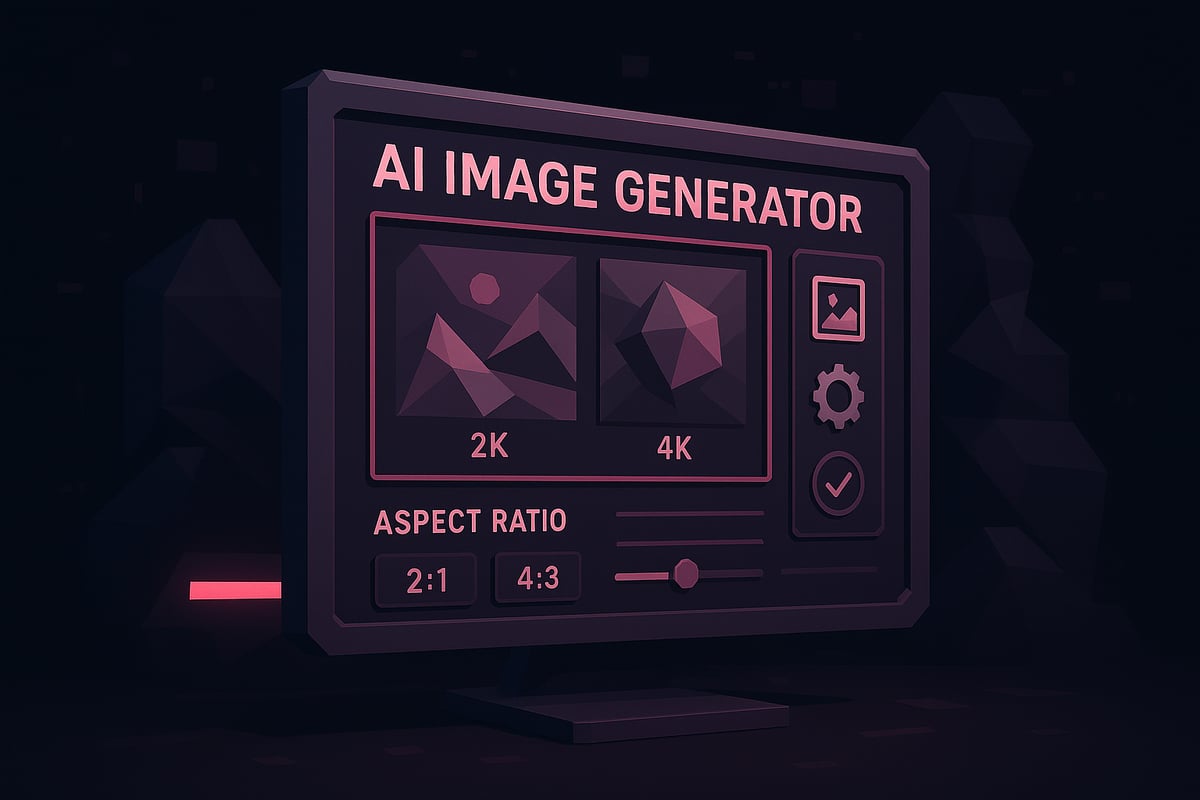
One of the most anticipated upgrades in nano banana 2 is its support for native 2K output, with seamless upscaling to true 4K. Where the first version struggled with pixelation and detail loss, the new model generates crisp visuals at a professional standard.
Nano banana 2 now accommodates a wide range of aspect ratios. Options include 1:1, 2:3, 3:2, 3:4, 4:3, 9:16, 16:9, and even ultra-wide 21:9. This empowers creators to tailor outputs for everything from social media to cinematic storyboarding.
Edge sharpness and detail fidelity are dramatically improved. Users report that glitches—like earrings morphing into teeth—are virtually eliminated. According to early performance data, instruction accuracy has tripled compared to the previous version.
For a side-by-side comparison of v1 and v2 output quality, and a preview of the advanced generation pipeline, see this Nano Banana 2 Preview and Features overview.
Multi-Step Self-Correction Workflow
A defining innovation of nano banana 2 is its multi-step self-correction workflow. Instead of relying on a single-pass generation, the model now plans the image, drafts an initial version, analyzes for errors, and then iteratively refines the output.
This workflow mirrors the process of a professional designer. The model automatically detects proportion issues, font inconsistencies, and perspective mismatches. It corrects these in real time, resulting in higher consistency across sessions and prompts.
Stress tests show that nano banana 2 can maintain style and theme even under “image shredding” scenarios, where previous models would fail. The self-correction mechanism is key to delivering reliable, high-quality visuals with minimal user intervention.
Underlying Model Architecture: Gemini 2.5, Gemini 3, or Imagen 4?
There is ongoing debate about the exact architecture behind nano banana 2. Some code leaks and internal tests suggest it leverages early iterations of Gemini 3, while others point to a hybrid with Gemini 2.5 Flash or even Imagen 4 technologies.
What does this mean for creators? The integration of advanced architecture provides faster generation, improved reasoning, and highly granular creative control. Community members note that nano banana 2 is substantially better at following nuanced prompts and adapting to complex instructions.
Evidence from GitHub commits and user tests highlights that nano banana 2’s architecture directly influences its ability to simulate real-world logic, maintain detail, and deliver professional-grade results. This technical foundation is what sets nano banana 2 apart from competitors in the AI image generation space.
Expanded Output Capabilities and Professional Applications
Nano banana 2’s technical advancements unlock a wider spectrum of creative possibilities. With support for broader output resolutions and aspect ratios, users can generate assets for UGC, film, TV, short videos, and UI design—all within the same platform.
The model excels at realistic texture rendering, simulating light, shadow, and camera effects. Its retouching capabilities now rival those of skilled human designers, producing dynamic scenes with accurate object relationships.
Professional users benefit from the model’s ability to handle demanding scenarios, such as generating UI mockups or complex storyboards. The expanded feature set ensures nano banana 2 remains a leading choice for anyone seeking reliable, high-quality AI-driven image creation.
Advanced Features and Real-World Performance
Nano banana 2 is setting a new standard for AI image generation in 2025. Its advanced features go beyond surface-level improvements, offering creators the tools to achieve professional-grade results. Below, we explore how nano banana 2 performs in real-world scenarios, highlighting the innovations that position it as a leader in the creative AI space.
Flawless Detail Interpretation and Realism
Nano banana 2 delivers a dramatic leap in visual fidelity. Tiny details, such as hair strands, metallic reflections, and fabric textures, now appear sharper and more lifelike. The model interprets prompts with high precision, ensuring colors closely match HEX codes and eliminating the waxy skin effect seen in earlier models.
For example, nano banana 2 can render small text on packaging and watch dials with perfect clarity—a significant improvement over v1. This enhanced realism is made possible by upgraded architecture and sophisticated enhancement algorithms. You can find more about these improvements in the AI enhancement features overview.
With support for 2K and 4K outputs, creators experience a new level of detail that meets the demands of professional workflows. Whether designing marketing visuals or digital art, nano banana 2 ensures every pixel is crisp and accurate.
Accurate Text and Language Capabilities
One of the most requested features in nano banana 2 is advanced text handling. The model understands and executes natural language prompts with impressive accuracy. Complex text layouts, such as manga panels, signage, and product packaging, are now rendered with consistent font, spacing, and alignment.
Nano banana 2 also introduces integrated translation within images. For instance, you can prompt the AI to colorize a manga page and convert all dialogue to English, preserving both layout and visual flow. This capability streamlines creative projects for global audiences.
Nano banana 2’s improvements in text and language make it invaluable for designers, marketers, and content creators who need precise control over both visuals and messaging.
Logical Reasoning and Physics Awareness
A standout strength of nano banana 2 is its logical reasoning and awareness of real-world physics. The model can simulate dynamic scenes, generate realistic motion trajectories, and even disassemble objects with accurate spatial relationships.
Use cases include:
- Creating animated storyboards with believable character movement
- Designing toys that can be taken apart and reassembled in 3D space
- Visualizing physical phenomena, such as liquid splashes or falling objects
Compared to competitors, nano banana 2 demonstrates a unique ability to maintain logic and consistency in complex, physics-driven scenes. This makes it a preferred choice for professionals in animation, filmmaking, and technical illustration.
Image Coloring, Restoration, and Editing
Nano banana 2 excels at transforming sketches into vivid, fully colored scenes. It can recolor entire environments, remaster old photos, and repair scrambled or damaged images, although some restoration limits remain.
A typical workflow involves uploading a hand-drawn sketch, applying a color prompt, and letting nano banana 2 handle the rest. The before-and-after results often reveal dramatic improvements in vibrancy and clarity.
Restoration features are especially valuable for archivists, artists, and anyone looking to breathe new life into existing visuals. The model’s iterative editing also allows for fine-tuning, ensuring each output matches the creator’s vision.
Instruction Following and Consistency
Consistency is a hallmark of nano banana 2’s design. The model now maintains style and theme across multiple generations, making it easier to create cohesive series or branded content. Instruction-following accuracy has tripled compared to the first version.
Stress tests show that nano banana 2 can reconstruct images even after “shredding” or heavy editing, preserving key details and stylistic elements. For example, character designs remain stable across sessions, and visual themes carry over from one prompt to the next.
This reliability empowers creators to iterate confidently, knowing that nano banana 2 will deliver consistent results, whether for user-generated content, professional design, or educational materials.
Nano Banana 2 vs. Nano Banana 1: A Comparative Analysis
The leap from Nano Banana 1 to nano banana 2 marks a pivotal shift in AI image generation. As creators and professionals seek higher fidelity and more control, nano banana 2 delivers substantial enhancements across resolution, workflow, and usability. This analysis highlights the core differences and what they mean for users in 2025.
Key Differences in Output Quality
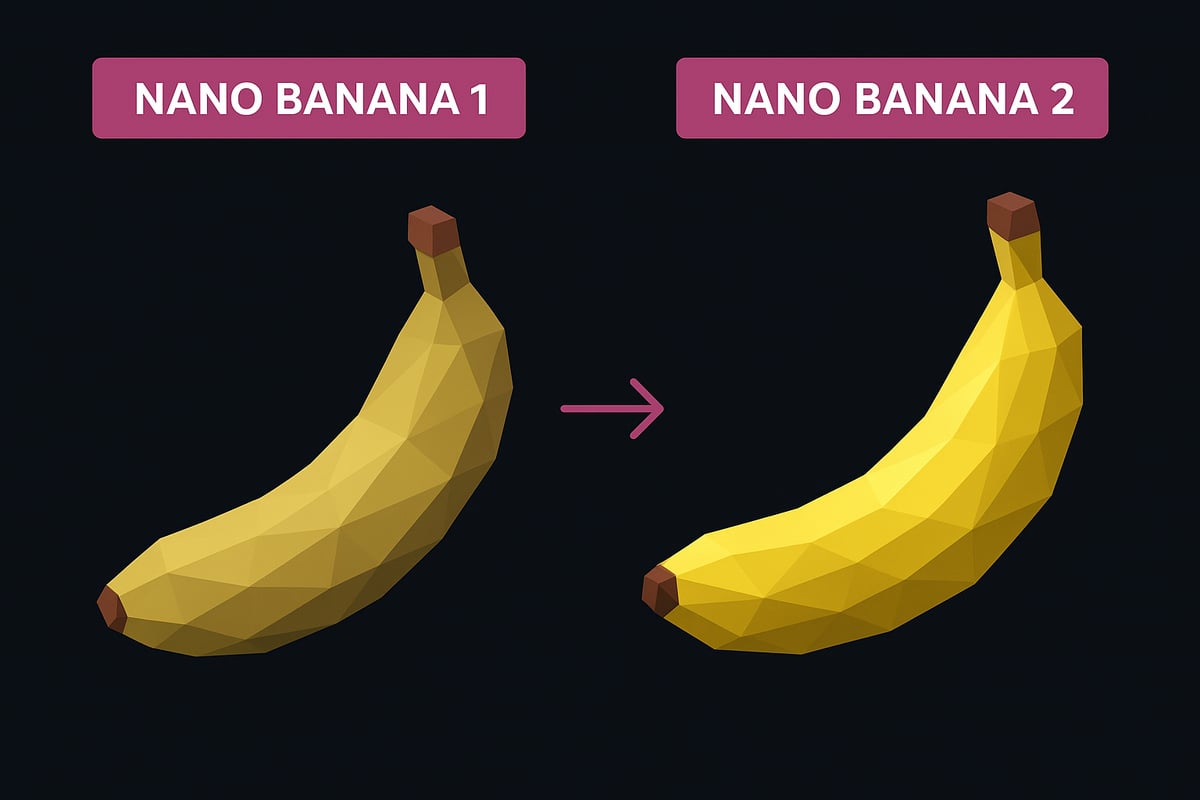
Nano banana 2 introduces native 2K and 4K resolutions, a significant jump from the 1K limit of the previous version. Along with expanded aspect ratios, this upgrade supports a variety of creative needs. Texture rendering is more lifelike, with fewer artifacts and improved color fidelity.
| Feature | Nano Banana 1 | Nano Banana 2 |
|---|---|---|
| Max Resolution | 1K | 2K/4K |
| Texture Realism | Moderate | High |
| Aspect Ratio Options | Limited | Extensive |
| Color Accuracy | Inconsistent | Precise |
With these advancements, creators can now export images in multiple formats and sizes, tailored for different platforms. For more details on supported options, visit the Multiple formats and export options page.
Prompt Execution and Accuracy
Instruction adherence in nano banana 2 has improved dramatically, boasting a tripled accuracy rate compared to v1. The model now handles nuanced prompts, such as “Make the water pink,” with far greater precision.
Nano banana 2 excels in managing complex requests involving text, perspective, and dynamic scenes. For example, where v1 might misinterpret small details or generate visual artifacts, the new version delivers precise, context-aware results. This reliability empowers creators to trust the output, even for challenging tasks.
Workflow and User Experience
The workflow in nano banana 2 shifts from a single-step generation to a robust multi-step correction process. The model now plans, drafts, analyzes, and refines images iteratively, mirroring a human designer’s approach.
Feedback from early users highlights:
- Faster, more reliable generations.
- Fewer errors in text, proportion, and layout.
- Consistent output across multiple sessions.
This iterative refinement means less manual editing and more time focused on creative tasks. Community testimonials praise the smoother experience and higher quality results.
Professional and Creative Use Cases
Nano banana 2 is designed for a broad spectrum of applications, from user-generated content to professional design and previsualization. The expanded resolution and aspect ratio support make it suitable for everything from social posts to high-definition storyboards.
Integration with Gemini 3 Pro streamlines workflows, enabling seamless movement between logic and visuals. While nano banana 2 offers significant improvements, some areas, such as ultra-fine text rendering and rare edge cases, remain on the community’s radar for future updates.
Integration with Gemini 3 and the Future of AI Image Generation
The future of AI image generation is being rewritten by the integration of nano banana 2 with Google’s Gemini 3 Pro. This dual-model launch is not just a technical upgrade, but a shift in how creators interact with visual tools. Nano banana 2 brings next-gen image quality, while Gemini 3 Pro adds deep reasoning and system-level intelligence. According to Google’s Gemini 3 AI Model Launch, the synergy between these models enables seamless workflows for both logic and visuals. Users can now generate complex scenes, ensuring that creative vision and technical execution are aligned as never before.
Dual-Model Launch: Nano Banana 2 and Gemini 3 Pro
Nano banana 2 and Gemini 3 Pro are being rolled out together to offer an integrated creative experience. When users access nano banana 2, they can take advantage of Gemini 3’s logic-driven prompt processing and system generation features. This dual approach means creators can build both visuals and user interfaces in one unified workflow.
- Nano banana 2 provides top-tier image generation.
- Gemini 3 Pro handles advanced reasoning and logic.
- Integration streamlines the transition from concept to final product.
The result is a platform where technical and creative needs are met without switching tools or losing context.
“Vibe-Coding” and Natural Language UI Generation
With nano banana 2, “vibe-coding” becomes a reality. Creators describe the look, feel, and function of an interface in plain language, and the AI generates complete UIs, icons, and layouts automatically. This removes many of the traditional barriers in app prototyping and design.
Imagine requesting a “modern, interactive dashboard for mobile” and watching as nano banana 2 builds it on the spot. The system can translate creative intent directly into visual assets, making design faster and more intuitive than ever before.
Implications for Content Creators and Industry Professionals
The integration of nano banana 2 with Gemini 3 Pro brings new opportunities for UGC creators, designers, and filmmakers. Advanced image logic and UI generation open doors for rapid prototyping, storyboarding, and content creation.
- UGC quality rises with smarter, more accurate visuals.
- Filmmakers can previsualize scenes with dynamic layouts.
- Designers build and iterate on UI/UX concepts in minutes.
By lowering technical barriers, nano banana 2 enables a broader range of creative professionals to enhance their workflows.
What to Expect Next: Roadmap and Community Insights
Looking ahead, the nano banana 2 roadmap is shaped by ongoing community feedback. Users are eager for “Nano Banana Pro,” tighter Gemini integration, and even more realistic image outputs. Google continues to gather insights through beta programs and user forums.
The industry is watching as nano banana 2 evolves. Community wishlists include improved editing, greater prompt flexibility, and expanded platform support. Staying connected to these updates ensures creators remain at the forefront of AI-powered innovation.
How to Get Started with Nano Banana 2: Practical Guide for 2025
Getting started with nano banana 2 is straightforward, whether you are a beginner or an experienced creator. This section explains where to access nano banana 2, how to generate your first images, and how to make the most of its advanced features.
Accessing Nano Banana 2: Platforms and Availability
Nano banana 2 will be available through the Gemini app, the Media AI platform, and select third-party integrations. Users can access nano banana 2 on modern desktops, laptops, and supported tablets. Most up-to-date browsers are compatible, and native apps are expected for Android and iOS.
To begin, create or log in to your Google account. Follow the onboarding steps, which guide you through choosing your preferred platform and setting up your workspace. The system checks your device compatibility and walks you through the initial configuration for nano banana 2.
A streamlined onboarding ensures a smooth start for all users. For full compatibility, keep your operating system and browsers updated.
Step-by-Step: Generating Images with Nano Banana 2
Ready to create with nano banana 2? Start by logging into the Gemini app or Media AI platform. Choose your desired resolution (2K or 4K) and aspect ratio, such as 1:1, 16:9, or 9:16, based on your project needs.
Next, enter your prompt using natural language. Be specific about the style, color, or objects you want. After submitting, review the initial output. Use built-in editing or correction tools to refine your image.
Once satisfied, export your creation in your chosen format. For advanced workflows, integrate with Gemini 3 for logic-driven or multi-modal projects. For detailed guidance, consult the How to use Nano Banana resource.
Tips for Maximizing Output Quality and Creative Potential
To get the best from nano banana 2, craft clear and detailed prompts. Specify colors, styles, and context to guide the AI accurately. Select aspect ratios and resolutions that fit your target platform, whether for social media, web, or film.
Leverage built-in editing tools for minor tweaks or use external software for advanced post-processing. If you encounter issues like text inaccuracies or unexpected colors, adjust your prompt or try different settings. The Nano Banana integration guide offers insights for seamless creative workflows.
Experiment with different features to push nano banana 2’s boundaries and achieve your desired results.
Use Cases and Inspiration for Different Audiences
Nano banana 2 empowers a diverse range of creators. Here’s a quick overview of how various professionals can benefit:
| Audience | Use Case Examples |
|---|---|
| UGC Creators | Social visuals, memes, branding assets |
| Designers | UI/UX mockups, concept art, illustrations |
| Filmmakers | Storyboards, previsualization |
| Educators | Visual aids, lesson materials |
| Marketers | Promotional graphics, campaign visuals |
With nano banana 2, each audience can streamline their creative process, from ideation to final export.
Staying Updated and Joining the Community
Stay informed about nano banana 2 by following official Gemini and Media AI channels. Join beta programs for early access to new features, and participate in forums to share feedback or troubleshoot with peers.
Connect with the broader community to exchange tips, discover inspiration, and keep up with the evolving capabilities of nano banana 2. Engaging with updates ensures you maximize the tool’s potential and stay ahead in the creative industry.
Frequently Asked Questions About Nano Banana 2
Curious about nano banana 2? Here are answers to the most common questions, helping you get started and make the most of this next-generation AI image model.
What is the official release date for nano banana 2?
Nano banana 2 is scheduled for official release in November 2025. Early previews may be available through the Gemini app and Media AI platform prior to full rollout.
How does nano banana 2 differ from the first version?
The main differences include native 2K output, improved texture and text handling, and a multi-step correction workflow. Users report much higher instruction accuracy and more realistic results compared to v1.
What platforms and devices support nano banana 2?
Nano banana 2 will be accessible via the Gemini app, Media AI, and potentially select third-party integrations. Supported devices include modern desktops, laptops, and high-end tablets with up-to-date browsers and system requirements.
Can I use nano banana 2 for commercial projects?
Yes, nano banana 2 is designed for both personal and commercial creative workflows. Review specific licensing terms in the official documentation to ensure compliance with your intended use.
How does the multi-step correction workflow work in practice?
Nano banana 2 plans, drafts, analyzes, and refines each image through several automated steps. This process mimics human design logic, resulting in higher consistency and fewer errors across generated outputs.
Is there a Pro version, and what additional features does it offer?
A Pro version, sometimes called Nano Banana Pro, is rumored to launch after the main release. It may include priority access, higher output limits, and advanced editing features, though details are still emerging.
What are the limitations or known issues of nano banana 2?
While nano banana 2 offers substantial improvements, some users report occasional inaccuracies with extremely complex text or rare visual artifacts. Continuous updates aim to address these minor issues.
How is nano banana 2 integrated with Gemini 3 and other Google products?
Nano banana 2 is tightly integrated with Gemini 3 Pro, allowing advanced logic, UI generation, and seamless workflow for creators. This synergy enhances both visual output and interface design capabilities.
Where can I find support, tutorials, and community resources?
Official support, tutorials, and forums are available through Google’s Gemini channels and the Nano Banana community. These platforms offer troubleshooting tips, prompt ideas, and direct interaction with other users.
Are there any costs or subscription models associated with nano banana 2?
Nano banana 2 will likely offer a free tier with premium plans for higher limits and advanced features. Pricing details will be announced closer to official launch.
Now that you have a clear understanding of Nano Banana 2’s groundbreaking features—from its advanced resolution and multi-step correction workflow to seamless integration with Gemini 3—you’re ready to take your creative projects to the next level. Whether you’re a designer, content creator, or just curious about what’s possible with next-generation AI, there’s never been a better time to experiment with these tools. If you’re excited to put these innovations into practice and start crafting your own professional-grade music videos and visuals, I encourage you to Start Creating Now.