Nano Banana Pro Guide: Expert Tips for 2026
Unlock new levels of creativity in 2026 with nano banana pro, the latest AI image generation and editing tool transforming the digital landscape. This guide delivers expert insights, actionable tips, and proven strategies to help you master every aspect of nano banana pro.
Explore its innovative features, intuitive workflows, advanced editing techniques, creative applications, and smart model selection. Whether you want to produce professional-grade visuals or experiment with imaginative ideas, nano banana pro offers the power and flexibility you need.
Ready to elevate your visual projects? Dive in and discover how nano banana pro can reshape your creative journey.
Nano Banana Pro Overview: What’s New for 2026
Unlocking the full potential of digital creativity in 2026 starts with understanding what makes nano banana pro stand out. This overview explores its evolution, advanced capabilities, and how it delivers an accessible, seamless user experience for creators everywhere.
Evolution from Nano Banana to Nano Banana Pro
Nano banana pro builds on a strong legacy. The original Nano Banana transformed AI image generation, making it accessible and intuitive for millions of creators. With the 2026 release, nano banana pro takes a giant leap forward, powered by Gemini 3 Pro. This upgrade brings smarter AI reasoning, deeper real-world knowledge, and more robust creative output.
Compatibility has vastly expanded. Now, nano banana pro works seamlessly within the Gemini app, Google Ads, AI Studio, and Workspace. This means creators can integrate visuals directly into their favorite tools with ease. Whether you’re designing for fun or producing assets for global campaigns, nano banana pro adapts to all workflows.
Industry experts highlight how these enhancements set a new benchmark for image generation. For an official deep dive into the latest capabilities, see the Google’s Nano Banana Pro Announcement.
Key Features and Capabilities
Nano banana pro introduces a suite of advanced features designed for both flexibility and power. Creative controls have been refined, letting users adjust lighting, camera angles, and aspect ratios with precision. Output resolution now reaches up to 2K and 4K, meeting professional standards for print and digital.
Text rendering is smarter and supports multiple languages, ensuring infographics and diagrams are accurate and clear. Seamless photo blending and local edits allow for intricate compositions, such as swapping backgrounds or replacing elements without visible seams. World knowledge is enhanced, making nano banana pro ideal for generating data-driven visuals and technical diagrams.
Transparency is a priority. SynthID watermarking is built-in, helping creators protect their work and maintain copyright integrity. This feature supports responsible content sharing and aligns with industry expectations for digital transparency.
User Experience and Accessibility
The interface for nano banana pro has been overhauled for 2026, focusing on clarity and efficiency. Integration with the broader Google ecosystem means users enjoy a unified workflow across devices and platforms, from desktop to mobile. Compatibility spans major operating systems and browsers, ensuring accessibility for global teams and individuals alike.
User adoption continues to grow rapidly, with thousands of creators leveraging nano banana pro for everything from branded infographics to social media visuals. As an example, a marketing team can now create a branded infographic for a global campaign, complete with multilingual text and consistent branding, all within a single session.
Nano banana pro is not just a tool; it is a creative partner for anyone aiming to elevate their visual storytelling.
Step-by-Step Guide: Creating with Nano Banana Pro
Unlocking the full creative power of nano banana pro starts with understanding its streamlined workflow. Whether you are a newcomer or a seasoned designer, this step-by-step guide will help you harness every feature, from the very first prompt to the final exported image. Each stage is designed to maximize your efficiency and output quality.
Getting Started
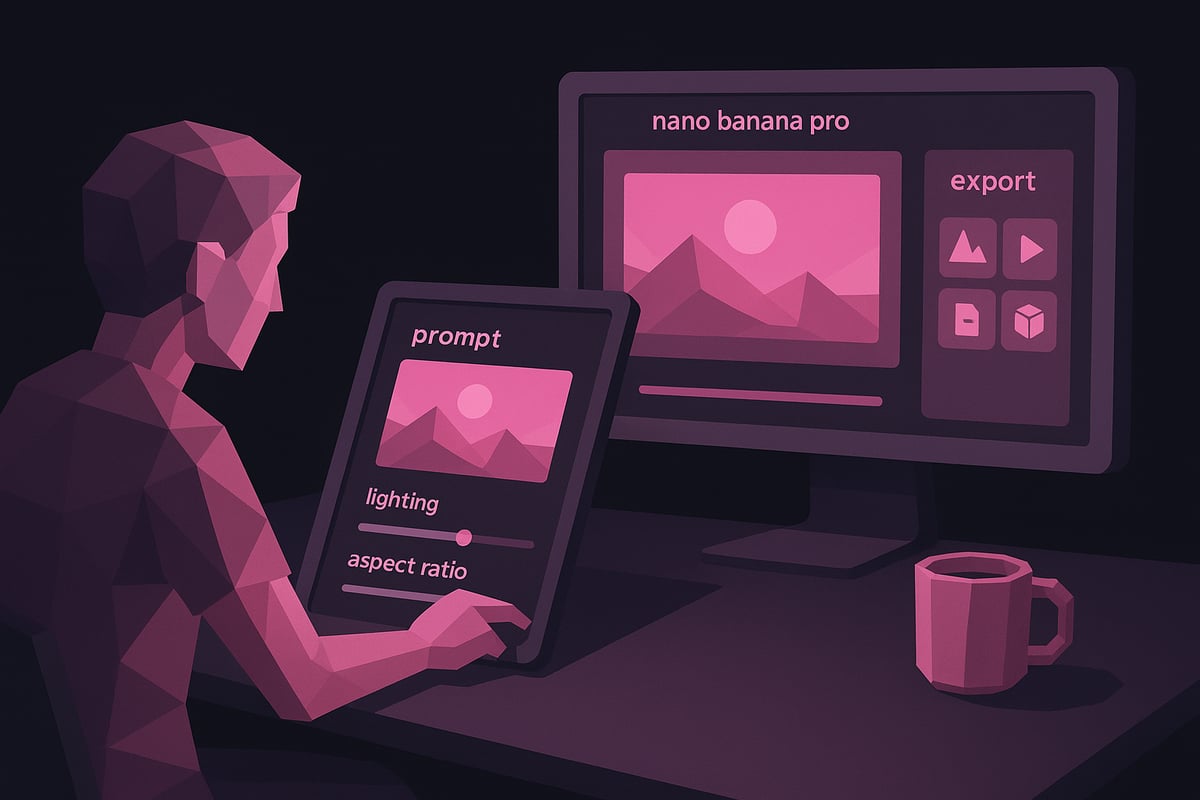
Begin by launching nano banana pro through the Gemini app or via your web browser. The interface is designed for clarity, making it easy to locate all essential tools. Upon entry, you will be prompted to select between the “Fast” and “Thinking” models. The “Fast” model is ideal for quick drafts or casual creation, while the “Thinking” model offers deeper reasoning and higher fidelity.
Navigate the main tools menu to access prompt input, image uploads, and editing functions. Nano banana pro supports a variety of input formats, including text prompts, single images, or multiple photo uploads for blending. This flexibility allows you to start projects from scratch or enhance existing visuals.
Familiarize yourself with the workspace layout. Tooltips and guided onboarding ensure a smooth start, enabling you to focus on creativity rather than technical setup. With nano banana pro, you are equipped to move seamlessly from concept to creation.
Crafting Effective Prompts
Success with nano banana pro begins with the right prompt. The more specific and descriptive your input, the better the AI’s results. Use this proven formula for best outcomes:
For example, “Generate an image of a young woman in a red dress running through a park at sunset” guides the model precisely. Detail matters—mention colors, lighting, mood, and style references to fine-tune results.
Incorporate real-world references to direct nano banana pro’s style or texture choices. If you want a particular look, upload a reference photo or specify an artist’s style. Iterative prompting is encouraged. Tweak your descriptions and rerun the generation to achieve your vision.
Nano banana pro also supports multilingual prompts, ensuring global accessibility. By mastering prompt crafting, you unlock the full breadth of creative possibilities within nano banana pro.
Applying Styles and Edits
Once your base image is generated, nano banana pro enables a suite of advanced editing tools. Transfer the style from a reference image to infuse your creation with unique visual flair. Adjust lighting, camera angle, and focus directly within the interface for full creative control.
Use local editing tools to change backgrounds, replace objects, or add new elements. These granular controls allow for precise modifications without restarting your project. Resizing is straightforward—adjust aspect ratio or image dimensions for different platforms, such as social media or print, without losing key details.
Nano banana pro’s intuitive layout makes complex edits accessible. Experiment with settings, blend photos, and refine each element until your image matches your vision. Each adjustment brings you closer to professional-grade results.
Exporting and Sharing
After perfecting your image, nano banana pro offers robust export and sharing options. Choose from square, vertical, or horizontal formats to suit various platforms or campaigns. Set your desired resolution, from standard web sizes up to 2K or 4K for print-quality output.
All exported images include SynthID watermarking for copyright transparency. This ensures your work is protected and clearly marked as AI-generated. For a detailed overview of multi-format export capabilities, refer to the Exporting in Multiple Formats feature guide.
Sharing is seamless—download directly or publish to cloud storage, social channels, or collaborative workspaces. Nano banana pro streamlines the process, letting you focus on creativity while ensuring your visuals reach the right audience in the best possible quality.
Advanced Editing Techniques and Expert Tips
Unlocking the full potential of nano banana pro requires more than just basic prompt writing. With a robust suite of advanced editing tools and AI-powered controls, creators can elevate their projects to professional standards. This section explores expert techniques, creative experimentation, troubleshooting, and best practices for responsible use, ensuring you get the most out of nano banana pro.
Achieving Professional-Grade Results
To create standout visuals, nano banana pro offers a range of advanced editing features. Start by leveraging its precise text rendering for designing logos, posters, and comics. Accurate multilingual text ensures your visuals look polished and professional.
Maintaining character consistency across multiple images is now seamless. Use reference images and detailed prompts to instruct nano banana pro to replicate characters, poses, or styles. For complex compositions, blend more than two photos, combining elements from multiple sources into a single, coherent image.
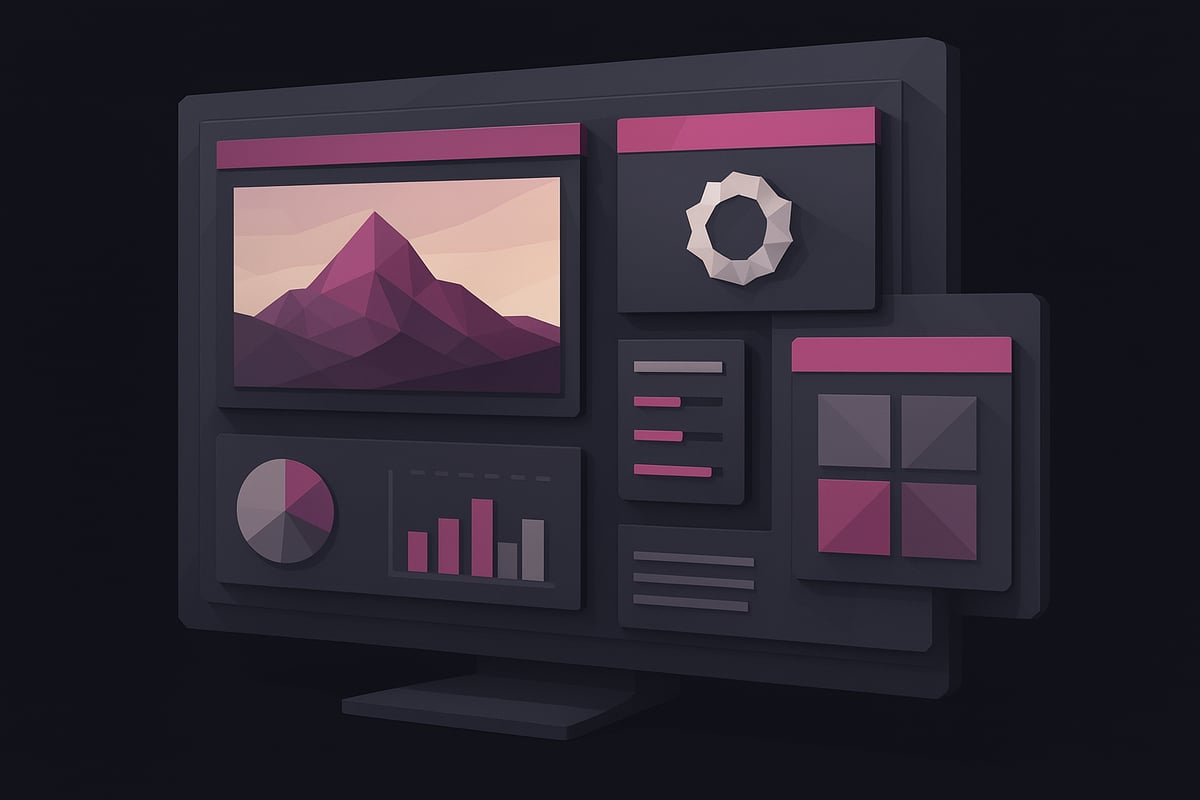
Precision editing is at your fingertips. Adjust aspect ratio, color grading, and image sharpness with intuitive sliders. These controls help you fine-tune your visuals for different platforms or print needs. For those seeking even more enhancement, consult the AI Enhancement Tools Overview to explore advanced options that integrate with nano banana pro for further refinement.
By mastering these features, you can consistently produce professional-grade outcomes using nano banana pro.
Creative Experimentation
Nano banana pro excels at unlocking creative possibilities. Experiment with surreal or imaginative scenes by blending AI-generated visuals with real photographs. This hybrid approach produces unique compositions that stand out in portfolios or campaigns.
Create infographics and data visualizations with heightened accuracy, thanks to enhanced world knowledge. Use raw data, charts, or even handwritten notes as input, and nano banana pro will convert them into detailed, visually appealing diagrams. For example, transform classroom notes into compelling infographic posters with clear, legible text and vibrant layouts.
Try applying custom styles or retro effects to images. Use the style transfer feature to borrow color schemes or artistic touches from reference images. Nano banana pro enables rapid iteration, so you can test different backgrounds, lighting, and compositions in minutes.
With these creative tools, nano banana pro becomes an engine for experimentation and inspiration.
Troubleshooting and Optimization
Even experienced users encounter challenges when working with nano banana pro. Common mistakes include vague prompts or inconsistent references, which can lead to unexpected results. To avoid this, always craft prompts with specificity, mentioning actions, colors, and styles as clearly as possible.
Iterative editing is key to optimization. After generating an image, use the local edits function to refine specific areas. Apply multiple prompts in sequence, gradually improving the composition. Utilize the feedback tools—thumbs up or down—to help nano banana pro learn your preferences and enhance future outputs.
Consider this workflow: Start with a rough draft for a marketing visual, then iterate by adjusting color, text placement, and background. Use before-and-after snapshots to track improvements. Troubleshooting quickly becomes second nature, allowing you to harness the full capabilities of nano banana pro.
Staying Safe and Responsible
Responsible use of nano banana pro is essential for creators and organizations. All images incorporate SynthID watermarking, providing transparency and supporting copyright verification. This ensures that AI-generated content can be traced and attributed correctly.
Google’s AI Principles guide the development and deployment of nano banana pro. Outputs are monitored for compliance, reducing the risk of misuse or inappropriate content. Users should respect content limits and understand when to switch between the Pro and Fast models to manage resources efficiently.
By prioritizing safety and transparency, you help maintain trust in the creative process with nano banana pro.
Creative Applications: Use Cases and Inspiration
Unlocking creative potential with nano banana pro means exploring a world of possibilities. From branding to personal projects, this tool empowers creators to bring unique visions to life with precision and style.

Visual Storytelling and Branding
Nano banana pro is a game changer for visual storytelling and branding. Businesses can design cohesive branded assets, such as logos, posters, and marketing visuals, with crisp text and consistent style. The tool supports multilingual text rendering, making it ideal for international campaigns.
Imagine launching a global product and needing visuals in several languages. With nano banana pro, you can generate infographics, banners, and social media graphics in minutes. The system preserves brand colors and fonts, ensuring every image aligns with your identity.
- Create posters and invites with clear, readable text
- Design infographics for product launches or events
- Adapt visuals for different markets with multilingual support
Nano banana pro streamlines the process, so teams can focus on strategy rather than manual editing.
Artistic and Personal Projects
For artists and individuals, nano banana pro opens doors to experimentation and self-expression. Transform selfies into figurine-style images or apply retro and custom styles to personal photos. The tool supports advanced edits, letting users change backgrounds, try new fashion looks, or even blend multiple styles.
Photography enthusiasts can adjust lighting or camera angles for a cinematic effect. Fashion lovers experiment with hair, outfits, and accessories, visualizing new ideas before making real-world changes.
- Turn sketches or photos into digital art
- Reimagine portraits with unique styles
- Blend real images with AI-generated elements
Nano banana pro makes it easy to bring imaginative concepts to life, no matter your skill level.
Educational and Data Visualization
Nano banana pro is invaluable for educators and professionals who need to convey complex information visually. The platform can turn classroom notes or raw data into polished infographics and diagrams. Teachers can create engaging posters for lessons, while business analysts visualize trends and reports with clarity.
Suppose you have handwritten notes from a brainstorming session. With nano banana pro, those notes can become a detailed infographic poster or an interactive diagram. This capability enhances presentations and improves knowledge retention.
- Build infographics from spreadsheets or notes
- Diagram scientific concepts or workflows
- Design educational posters for classrooms
Nano banana pro ensures each visual is not only informative but also visually compelling.
Community Showcase and Trends
The nano banana pro community thrives on sharing and inspiration. Users showcase their creations on platforms like Instagram, X, and Discord, setting new trends and sparking creativity worldwide. Popular styles include retro mall portraits, surreal object blending, and character-driven narratives.
According to a comprehensive review of nano banana pro use cases, engagement rates on social platforms have soared since the tool’s release. This surge reflects how nano banana pro supports diverse creative pursuits, from professional marketing visuals to personal art projects.
- Share AI-generated visuals using branded hashtags
- Participate in themed challenges and collaborations
- Discover inspiration from a global community
As more creators join, nano banana pro continues to shape digital art trends and foster collaboration.
Choosing the Right Model: Nano Banana vs. Nano Banana Pro
Selecting between Nano Banana and nano banana pro is essential for getting the best results from your creative workflow. Each model is designed for specific needs, making it important to understand their strengths before starting your next project.
Feature Comparison
Both Nano Banana and nano banana pro offer robust AI image generation, but their capabilities differ in several key areas. The table below summarizes the most important features:
| Feature | Nano Banana (“Fast”) | Nano Banana Pro (“Thinking”) |
|---|---|---|
| Image Resolution | Up to 1K | Up to 2K/4K |
| Text Rendering | Basic | Advanced, Multilingual |
| Photo Blending | Basic | Complex, Multiple Images |
| Editing Tools | Limited | Precision Controls |
| Speed | Very Fast | Slower, More Thoughtful |
| Use Case | Casual, Social | Professional, Detailed |
For those starting out, the How to Use Nano Banana guide can help you explore the core functionalities before advancing to nano banana pro for more complex tasks.
When to Use Each Model
Choosing the right model depends on your project goals and deadlines. Here are practical guidelines for selecting between Nano Banana and nano banana pro:
-
Choose Nano Banana (“Fast”) if:
- You need quick results for social media or casual sharing.
- Simplicity and speed are your top priorities.
- Basic blending and character consistency are sufficient.
-
Select nano banana pro (“Thinking”) when:
- Your project demands high-resolution images or advanced text rendering.
- You require precise local edits, complex compositions, or multilingual output.
- Professional branding, infographics, or detailed diagrams are involved.
Nano banana pro integrates seamlessly with the Gemini app and supports advanced workflows, making it ideal for users who need maximum control and quality.
Practical Examples
To illustrate the differences, consider these two common scenarios:
Example 1: You want to create a quick, eye-catching post for Instagram. Using Nano Banana, you type a short prompt, select the “Fast” model, and receive a vibrant image in seconds. The process is intuitive and efficient for rapid sharing.
Example 2: For a corporate infographic, you require precise branding, accurate multilingual text, and high-resolution output. With nano banana pro, you can adjust every detail, blend multiple images, and export in 4K for print or digital campaigns.
Maximize your results by matching your project’s complexity with the right tool. Nano banana pro is the go-to for demanding creative tasks, while Nano Banana ensures speed and simplicity for everyday needs.
Frequently Asked Questions: Nano Banana Pro in 2026
Unlocking the full potential of nano banana pro starts with understanding the essentials. Below, find the answers to the most common questions users ask about nano banana pro in 2026. This guide ensures you stay informed, confident, and ready to create at the highest level.
Access, Availability, and Compatibility
Nano banana pro is available in most countries, supporting a wide range of languages and devices. You can access the tool via the Gemini app, web browsers, or through integrated platforms like Google Workspace. For the best experience, use a device with updated browsers and stable internet.
Compatibility extends to both desktop and mobile, ensuring flexibility for creators on the move. For a detailed breakdown of integration and workflow enhancements, visit the Nano Banana Integration Features page. With nano banana pro, users benefit from seamless connectivity across the Google ecosystem.
Tips for Better Image Generation
Generating high quality visuals with nano banana pro requires a thoughtful approach. Start with clear, specific prompts, such as describing the subject, action, and setting. Use real world references for color, style, or mood to guide the AI.
Experiment with composition by adjusting aspect ratio and style settings. Iterative editing helps refine results, so do not hesitate to make small adjustments and re run prompts. According to Expert Analysis of Nano Banana Pro, creative experimentation with nano banana pro leads to more professional, tailored outputs.
Safety, Transparency, and Verification
Nano banana pro incorporates SynthID watermarking in every AI generated image. This invisible mark ensures transparency and helps verify the authenticity of your visuals. Gemini’s tools allow you to check for SynthID watermarks, confirming the origin of each creation.
Google’s approach to responsible AI emphasizes user safety, privacy, and ethical standards. The nano banana pro platform encourages responsible sharing and provides clear feedback options for users to report concerns or request improvements.
Troubleshooting Common Issues
If you reach content generation limits with nano banana pro, wait for your quota to reset or switch to an alternative model. Encountering unexpected results? Refine your prompt or try a different style setting.
Errors may occur due to connectivity issues or unsupported file types. Always check for updates and review platform notifications for known issues. For ongoing support, consult the official help resources within the nano banana pro interface to resolve common challenges efficiently.
Now that you’ve explored how Nano Banana Pro’s advanced AI features can elevate your visual projects—whether you’re enhancing brand assets, designing striking infographics, or experimenting with creative concepts—why not put these expert tips into action yourself? With intuitive controls and powerful editing tools, you’re equipped to produce professional music videos and visuals with ease. If you’re ready to take your creativity further and see the difference firsthand, you can Start Creating Now.